Edit and LODs
Compare LODs
A standard MetaHuman has 8 head LODs (0–7) and 4 body LODs (0–3). There is no body LOD4.
The LOD buttons switch visibility; they do not build or load meshes. Leave LOD0 only off before importing to include all levels.
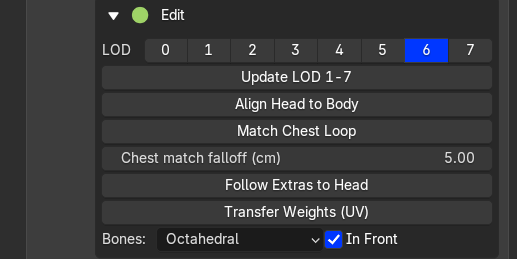
LOD selection and editing controls
For a head/body pair, the buttons follow the standard Unreal LODSync mapping:
| Head LOD | Body LOD |
|---|---|
| 0 or 1 | 0 |
| 2 or 3 | 1 |
| 4 or 5 | 2 |
| 6 or 7 | 3 |
After manual sculpting, use Update LOD 1-7 to check them before baking. Export includes the full LOD set.
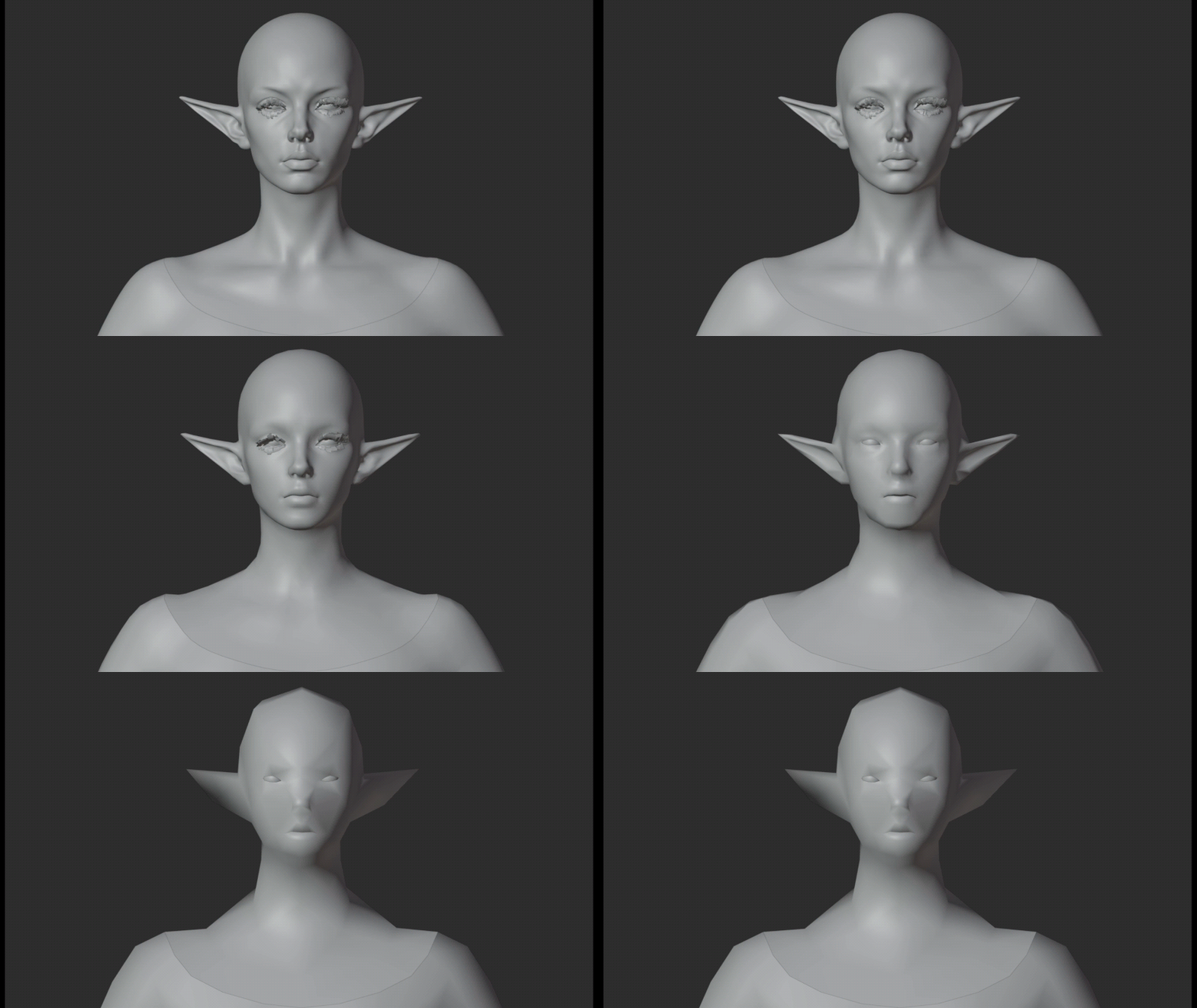
Compare the character across LODs
Alignment and display
- Align Head to Body / Match Chest Loop: align the attachment and adjust the neck boundary.
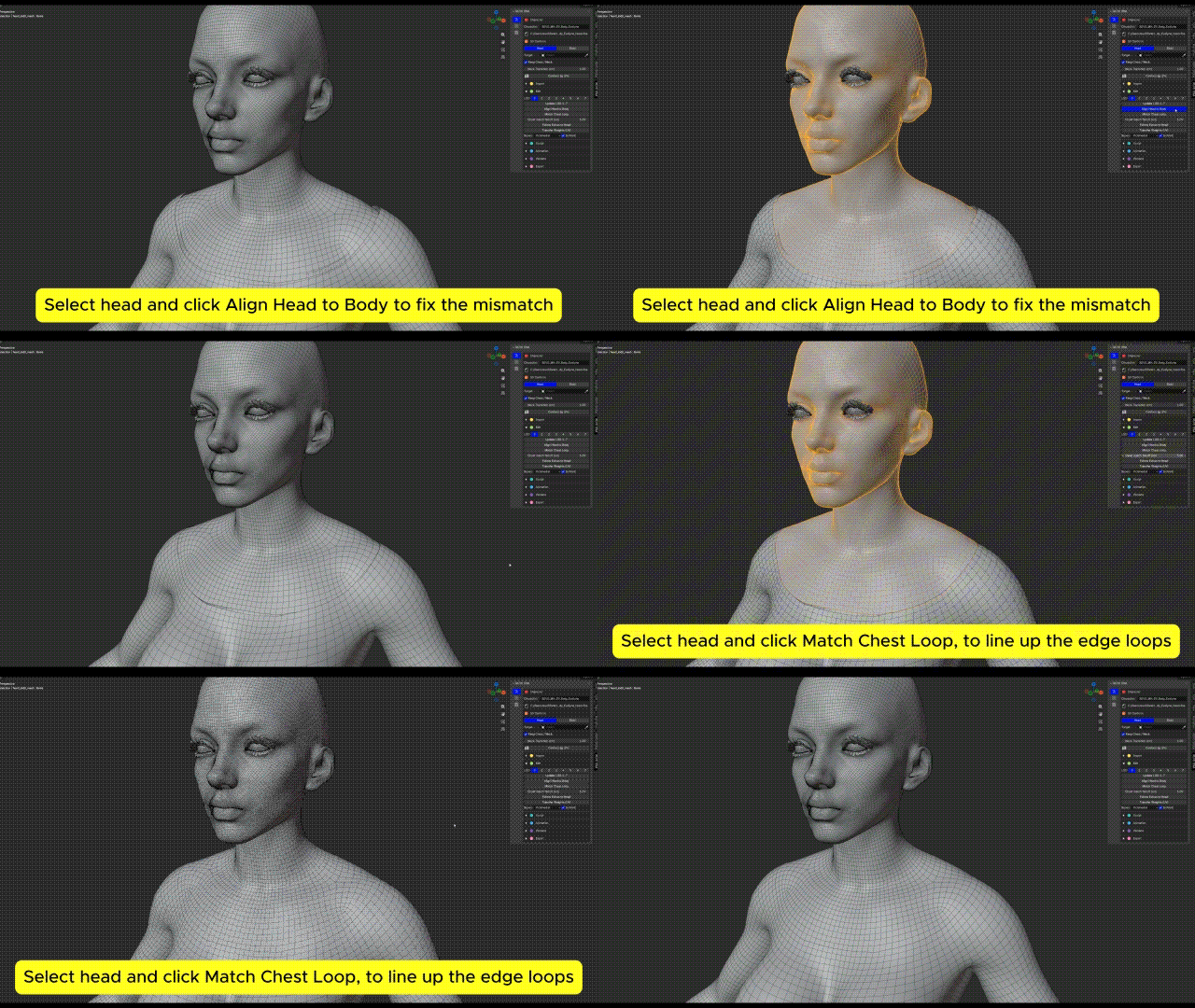
Align Head to Body at the chest attachment
- Follow Extras to Head: move eyes, lashes, teeth and other associated meshes with the edited head. Check neutral and jaw-open poses.
- Bones / In Front: change bone display only.
- Bone Size: scale B-Bone or Envelope display. 1 restores the original size.