ZBrush
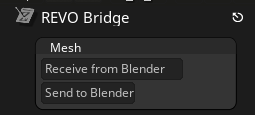
Select one or more mesh objects in Blender and choose Export to ZBrush. In ZBrush, click Receive from Blender in the REVO Bridge palette. ZBrush does not auto-import from Blender.
Active SubTool is overwritten
ZBrush imports into the active SubTool. Check which SubTool is active before receiving a Blender export.
Use Send to Blender in ZBrush, then Import from ZBrush in Blender. Auto-Import from ZBrush in Blender can do that last step.
Settings (Utilities)
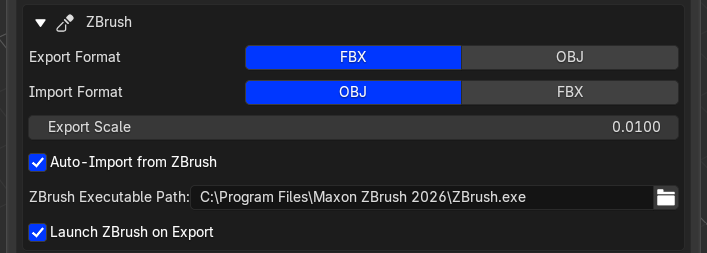
- Export Format and Import Format dropdowns (FBX or OBJ; OBJ is the usual import format)
- Export scale (default
0.01; import applies the inverse) - Auto-import from ZBrush
- ZBrush executable path
- Launch ZBrush on export
Plugin install
The installer copies the compiled REVO_Bridge.zsc into a writable ZBrush startup plugin folder (ZStartup/ZPlugs64) and writes REVO_BridgeData/sync_dir.txt with the local transfer folder path.
ZBrush 2026 loads .zsc files at startup. It does not compile a .txt left in that folder. Restart ZBrush after installing or updating.
Buttons are under ZPlugin > REVO Bridge and the REVO Bridge palette.