User Interface
The REVO Bridge tab in the 3D View N-Panel has four tabs, switched with the icon buttons down its left side: Bridge, Integrations, Utilities and Help.
Each DCC has its own collapsible section, collapsed by default; click anywhere on a header to open or close it. Sections are color coded so you can scan the panel and find the tool you need, and each DCC keeps the same color and order (ZBrush, Toolbag, Painter, Maya) on every tab.
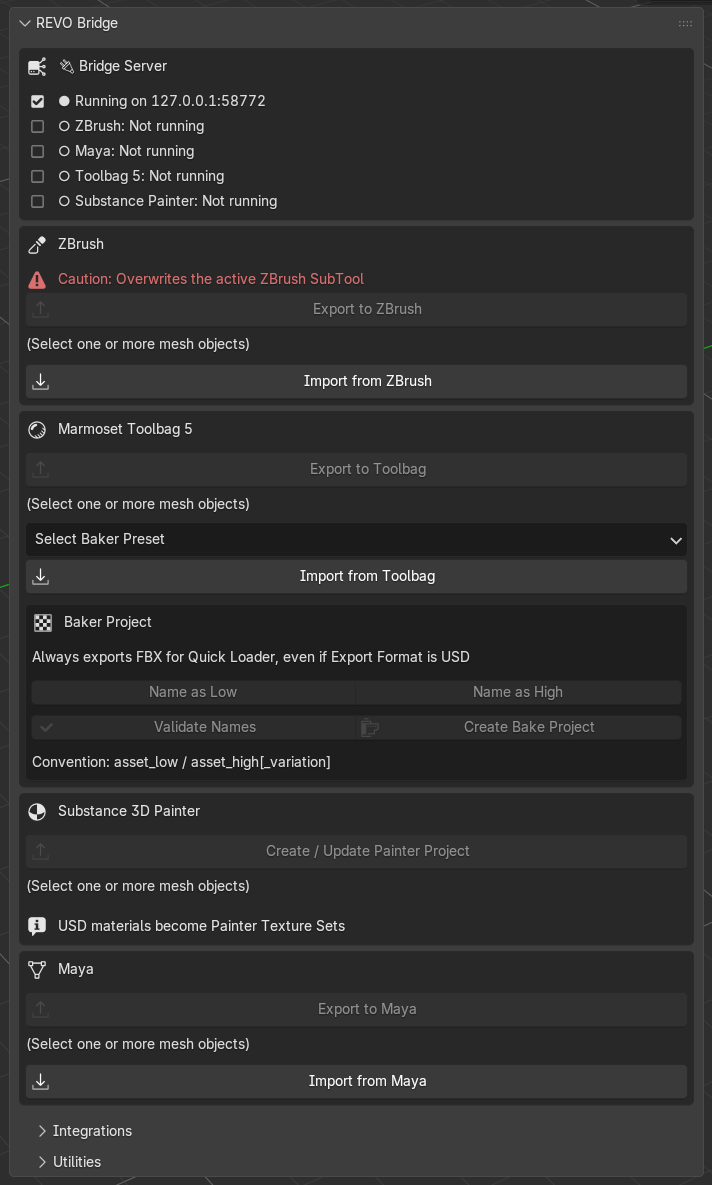
Bridge
Status first, then per-DCC export/import.
| Block | What it shows / does |
|---|---|
| Bridge Server | Running or stopped, plus which DCCs Blender can see |
| ZBrush | Export to ZBrush, Import from ZBrush. Warns that receive overwrites the active SubTool |
| Marmoset Toolbag 5 | Export to Toolbag (launches Toolbag with the plugin), Import from Toolbag (needs Edit > Plugins > Revo_Bridge already open), baker naming and Create Bake Project |
| Substance 3D Painter | Create / Update Painter Project, Import Textures from Painter, Bake Project (Name as Low/High, Validate Names, Create Low/Low Bake, Create Low/High Bake) |
| Maya | Export to Maya, Import from Maya |
A pending import shows a per-DCC Clear … Pending button. Use it when a stale file is blocking a new send.
Create Bake Project always exports FBX for Toolbag Quick Loader, even when Export Format is USD.
Integrations
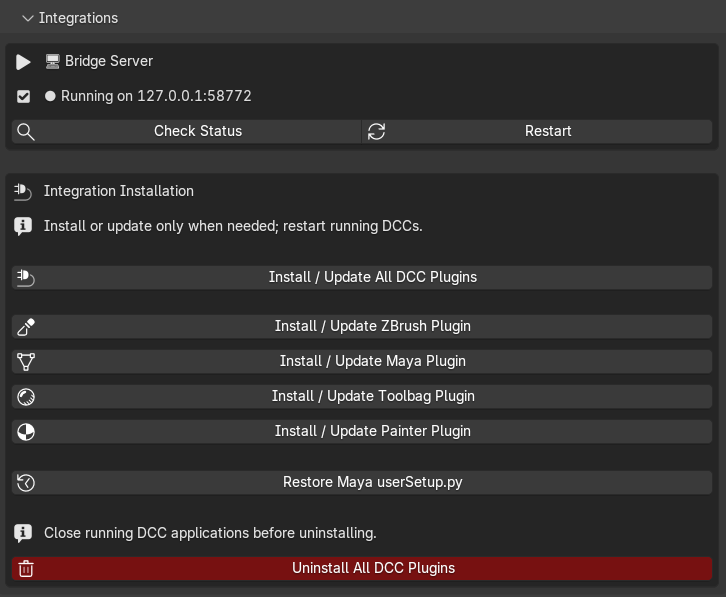
| Action | Purpose |
|---|---|
| Check Status | Refresh server / DCC detection |
| Restart | Restart the local bridge server |
| Install / Update All DCC Plugins | ZBrush, Maya, Toolbag and Painter in one step |
| Install / Update ZBrush / Maya / Toolbag / Painter | Individual installers |
| Restore Maya userSetup.py | Restore the newest backup made before REVO Bridge edited that file |
| Uninstall All DCC Plugins | After confirmation, remove all recorded external REVO Bridge plugins while preserving projects, DCC preferences, backups and transfer data |
Install or update only when needed, then restart the running DCC. Close all DCC applications before using the uninstall action.
Utilities
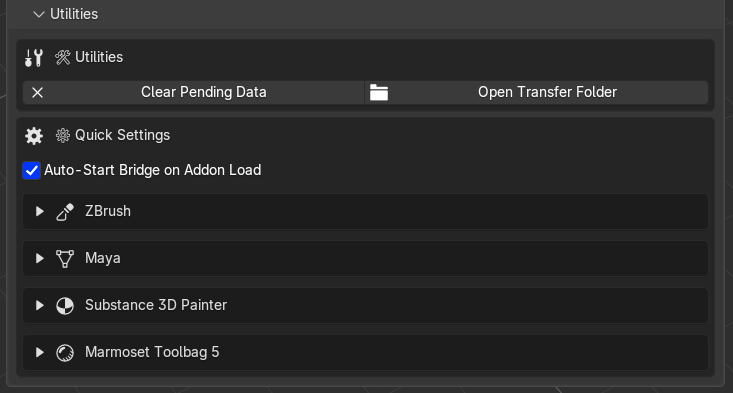
Quick settings live here so you do not have to open Blender Preferences for every path.
- Clear Pending Data and Open Transfer Folder
- Per-DCC expandable blocks for ZBrush, Toolbag, Painter and Maya (same order as the Bridge tab)
- Painter existing-project working-copy status under Substance 3D Painter
- Toolbag baker output, maps, geometry, tangents and presets
The local server port and a custom transfer parent folder are in Edit > Preferences > Add-ons > REVO Bridge. A custom folder still uses a REVO_Bridge subfolder inside it.
Default transfer folder: %TEMP%\REVO_Bridge.
Help
Links to this documentation, the Discord community and ArtStation.