Maya
The Maya installer follows the version in the configured executable path. A Maya 2026 executable installs into the Maya 2026 user folder, even when Maya 2027 is also installed.
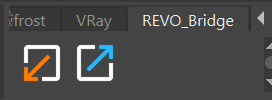
What the installer adds
REVO_Bridge.pytoplug-insrevo_bridge_maya.pyand both shelf icons toscriptsshelf_REVO_Bridge.melto the shelf preferences- A managed loader block to
userSetup.py
REVO Bridge makes a timestamped backup before changing an existing file. Use Restore Maya userSetup.py in Integrations to restore the latest backup.
Restart Maya after installing. The REVO_Bridge shelf has separate visible FBX and USD export buttons plus an import button.
Workflow
- Select the character meshes, armature, or enclosing hierarchy in Blender, choose FBX or USD under Utilities > Maya > Transfer Format, then choose Export to Maya.
- Maya auto-imports after the plugin is installed (or use the shelf Import from Blender button).
- Send a mesh back with Export to Blender. Blender auto-imports if that option is on.
Maya to Blender: characters and rigs
Select the character's enclosing group, or select the rig root and skinned meshes, then click the Maya shelf's FBX or USD export button.
- FBX includes the selected child hierarchy, joints, skinning, blend shapes, animation connections, and constraints supported by the FBX interchange.
- USD includes the selected hierarchy as well as UsdSkel skeletons, skinning, animation over Maya's playback range, blend shapes, and USD Preview Surface materials.
Settings (Utilities)
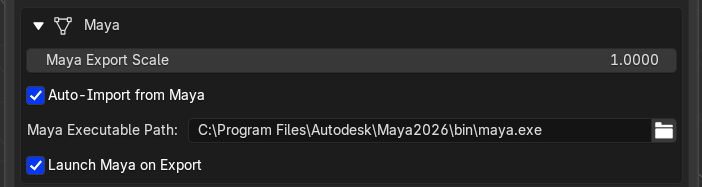
- Maya export scale (default
1.0; FBX unit scale covers Blender metres to Maya centimetres in most cases) - Transfer Format (FBX or USD) for Blender to Maya
- Auto-import from Maya
- Maya executable path
- Launch Maya on export